

For the past couple of years, most SEOs have been operating without clear visibility when it comes to AI search performance. You could see your organic traffic dipping. You suspected AI Overviews were eating your clicks. You’d Google your target keywords, spot your content cited inside an AI-generated answer, and feel this strange mix of validation and frustration – yes, Google is using my content, but where are the visitors?
Well, on June 3, 2026, Google finally handed us something we’ve been asking for. Not everything. Not even close to everything. But something real, something measurable, and something that actually changes how you should approach Google AI SEO going forward.
The AI Search Blind Spot Is Finally Getting Fixed
Until the new Search Console update in June 2026, there was no clean way to separate AI-driven impressions from your regular organic data inside Search Console. Everything was blended into one Performance report – traditional blue link impressions sitting alongside AI Overviews impressions, with no way to tell them apart.
That meant SEOs had no reliable answer to a very basic question: Is my content actually showing up inside Google’s AI features? Not ranking near them. Not sitting below them. Actually appearing inside them.
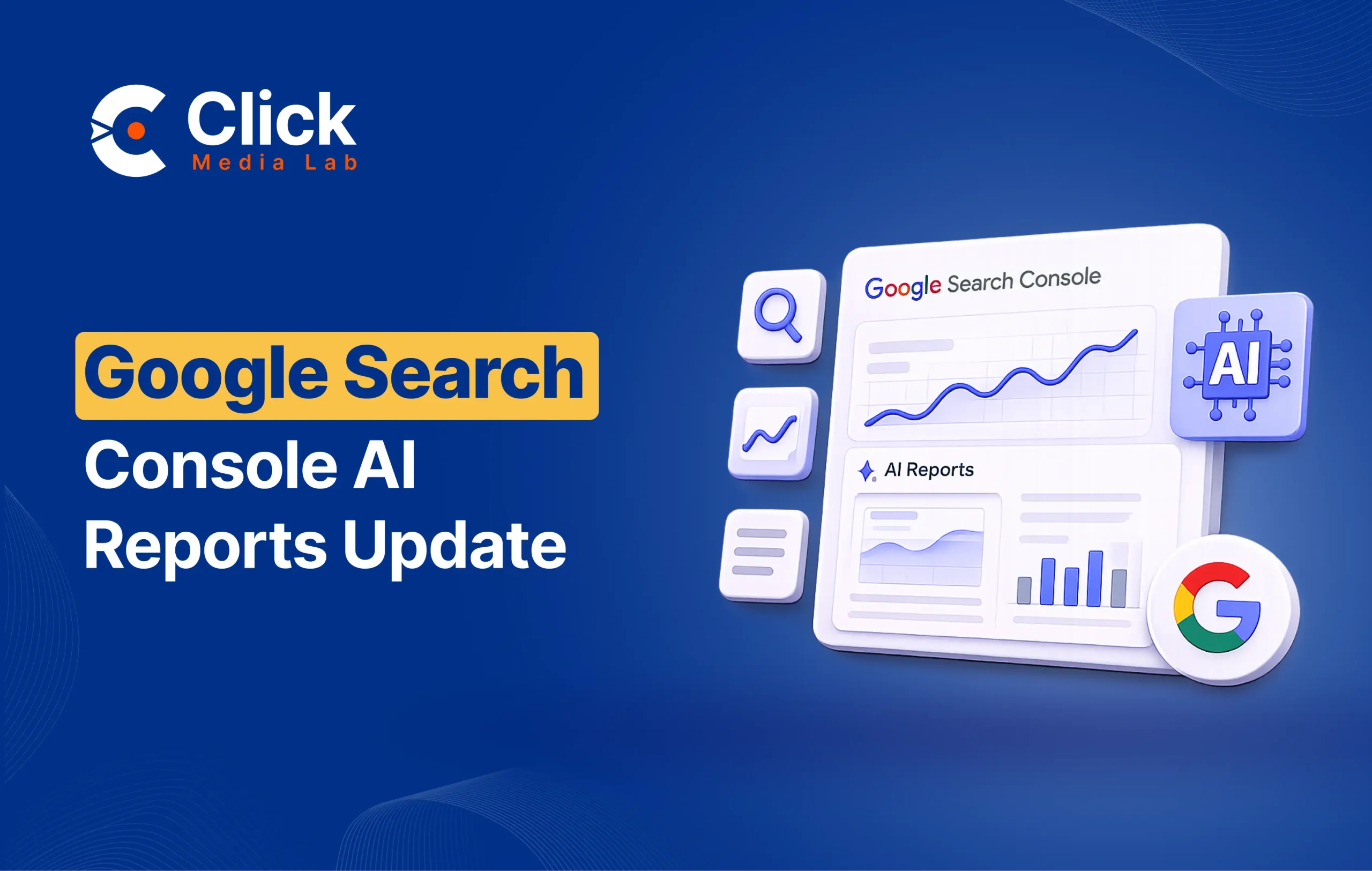
That blind spot is now starting to close. On June 3, 2026, Google officially launched the Google Search Console generative AI performance report 2026 – a dedicated section inside Search Console built specifically to surface your visibility inside AI-powered search experiences. This Search Console update was announced by Hillel Maoz, Search Ecosystem Engineering Manager, and Moshe Samet, Product Manager Lead for Search Console, and it marks the first time Google has given site owners a structured, standalone view of AI search visibility data.
What Is the Generative AI Performance Report?
The Google Search Console generative AI performance report 2026 is a dedicated reporting section inside Google Search Console that shows how often your URLs appear inside Google’s AI-powered search features. Unlike the standard Performance report, where AI impressions were blended with regular organic data, this gives you a clean, separate view of your AI search visibility.
The report is split into two distinct sections:
1. Search Generative AI Report
This report covers generative AI features on Google Search – specifically, AI Overviews and AI Mode Google results. It shows how your URLs are performing inside these AI-generated answer experiences, broken down by impressions, pages, countries, devices, and dates.
2. Discover Generative AI Report
This is a separate view covering generative AI features within Google Discover – the content feed that appears on mobile homescreens and the Google app. As AI has transformed Discover into a more synthesized, curated experience, this report gives publishers a dedicated window into that surface for the first time.
It is worth noting that both reports sit alongside the broader Performance report, not in place of it. The generative AI data still feeds into your overall Search Console performance data – these new views simply give you a dedicated, cleaner lens on AI-specific visibility.
How to Access the Report
How to Find It in Search Console
Performance → Search results → Generative AI features (Beta tab)
That’s the full path. If you don’t see the Beta tab, either your site isn’t in the current rollout, has too few AI impressions, or you’ve previously opted out.
For Discover: Performance → Discover → Generative AI features
One important note: the report only shows data from the date Google switched it on; no historical data exists before that point. Your first view will show a short data window. Start documenting your baseline immediately so your numbers become meaningful over time.
What AI Features Does It Cover?
The AI performance report covers three distinct AI surfaces across Search and Discover:
1. AI Overviews
AI Overviews are the AI-generated answer panels that appear at the top of Google Search results, synthesizing information from multiple sources to answer a query directly on the page. For AI Overviews SEO, this report gives you the first native view inside Search Console of how often your pages are being cited inside these responses. Google AI Overviews impressions data for SEO was previously impossible to isolate – that changes with this update.
2. AI Mode
AI Mode is Google’s fully conversational search experience, where the entire results page is generated by AI rather than a traditional list of links. Google Search Console AI Mode tracking is now available for the first time through the Search Generative AI report, letting you see which of your pages are surfacing inside AI Mode Google results and how often.
3. Generative AI in Discover
Beyond Search, Google’s Discover feed has also been incorporating generative AI features. The Discover Generative AI report covers this surface separately, giving content publishers and media sites visibility into how their content is being used inside AI-powered Discover experiences.
Metrics Available in the Report, And the Big Missing One
Within each report, here is what you can actually measure:
- Impressions – How often your URLs appeared inside AI Overviews, AI Mode, or generative Discover features. This is the primary metric available.
- Pages – Which specific URLs on your site are getting surfaced inside AI results, so you can identify your strongest-performing content?
- Countries – A geographic breakdown of your AI visibility, useful for international sites or those targeting specific markets.
- Devices – Desktop vs. mobile breakdown. Available in the Search report only, not in the Discover report.
- Dates – Time-series data with hourly, daily, weekly, and monthly granularity, so you can track trends and correlate changes with content updates or algorithm shifts.
The Catch: No Click Data
Here is where the Google Search Console AI report impressions-only, no-clicks limitation becomes important – and it is the most discussed gap since the announcement.
The report tracks impressions only. There is no click data. Google confirmed this explicitly, and while it was not entirely surprising, it is a significant analytical limitation.
What it means in practice: you can see your content is being cited inside AI Overviews and AI Mode Google results, but you cannot see how many people actually clicked through to your site as a result. You can measure visibility. You cannot measure the traffic impact of that visibility.
This matters because the core concern around AI search has always been the click attribution problem. When your content answers a question inside an AI Overview, the user often gets what they need without ever leaving Google. The impression happens. The citation happens. The visit does not.
Some attribute the missing click data to technical complexity – attributing clicks from AI-synthesized responses where multiple sources are cited simultaneously is genuinely difficult. Others suggest Google is being cautious about revealing how little click traffic AI features actually drive to publishers. Either way, impressions-only is what we have for now.
The Opt-Out Toggle: A Game-Changer for Publishers
Alongside the new reports, Google is testing a toggle that lets site owners block their content from appearing in AI Overviews and AI Mode Google – all from within Search Console itself. This is a significant development that received slightly less attention than the reports but is arguably just as important.
1. What Opting Out Means
The toggle gives site owners direct control over whether their content appears inside Google’s generative AI features. If enabled, your pages will no longer be cited inside AI Overviews or AI Mode results. This applies to both surfaces simultaneously through a single control inside Search Console.
For sites currently in the test group, the toggle is live now but will not take effect in Google Search until June 17, 2026, giving site owners a window to review their configuration before any changes go live.
2. The Trade-Off
This is not a straightforward decision. For content publishers and news sites where traffic volume is revenue, blocking AI citation might seem like the logical move – especially given the impressions-only, no clicks reality of the current report. However, opting out could also reduce your broader organic visibility as Google increasingly integrates AI into all search experiences.
For brand-building businesses, ecommerce sites, and local service providers, being cited in AI answers tends to be net-positive brand visibility even without a guaranteed click. The trade-off looks different depending entirely on your business model and how your audience uses search.
Why the UK Got It First
The UK launch is not coincidental. The UK’s Competition and Markets Authority (CMA) has been applying serious regulatory pressure on Google, legally requiring that publishers be given control over how their content is used across AI features – including the ability to opt out of content being used for fine-tuning AI models. The entire UK rollout, both the AI performance reports and the opt-out toggle, is directly tied to those legal requirements. A global rollout is expected to follow, though no firm timeline has been announced.
Rollout Status: Who Has Access Right Now?
Before you head straight to your Search Console dashboard, one important caveat on availability.
This rollout is currently limited to a subset of websites, starting with UK-based publishers. Google is using this phase to gather testing feedback and refine the reports before a broader global release. That means a significant portion of site owners will not see the new AI performance report in their Search Console yet.
If you do not have access, keep checking. The rollout is ongoing, and broader availability is expected to follow relatively quickly given the regulatory context driving the UK launch.
What’s Still Missing From the Google Search Console Generative AI Performance Report 2026
To be clear about the current limitations, going in with realistic expectations helps you avoid over-interpreting the data you do have.
No click data. The single biggest gap. Google AI Overviews impressions data for SEO is a useful starting point, but impressions alone do not tell you about traffic impact. Until Google surfaces click data for AI features, the revenue impact of your AI search presence remains unmeasurable directly from Search Console.
No query data. The AI performance report does not offer keyword-level granularity. You can see which pages are being cited in AI Overviews SEO results, but not which specific queries are triggering your inclusion. That is one of the most requested additions from the SEO community.
No citation context. Google does not tell you how your content is being used within an AI response – whether you are the primary cited source, one of several, whether your content is being heavily summarized, or just briefly mentioned. Impression data is a limited instrument without that context.
Limited Discover coverage. The Discover AI report does not include device-level data, which limits analysis depth compared to the Search report.
No competitive benchmarking. You can see your own AI impressions but cannot compare them against competitors appearing in the same AI responses. That gap is significant for a competitive Google AI SEO strategy.
What This Means for Your SEO Strategy
Now that you have the data, here is how to use it.
- Establish Your Baseline Immediately
The moment you gain access to the AI performance report, document your current AI impression numbers by page, device, and country. Start tracking consistently so your benchmarks become meaningful for future decision-making.
- Cross-Reference AI Impressions With Organic Performance
Use Google AI Overviews impressions data for SEO alongside your standard Performance report. Pages with high AI impressions but low traditional organic clicks are your priority – they are resonating with Google’s AI systems but not driving traffic. That mismatch tells you where to focus your content optimization efforts.
- Audit What Content Is Getting AI Visibility
Look for patterns in which pages surface inside AI Overviews SEO results. Is it your definitional content? How-to guides? FAQ sections? Structured content with clear answers? That pattern tells you what Google’s AI systems find most usable – and you can replicate it intentionally across your site.
- Build AI Visibility Into Client Reporting
The AI performance report changes the client reporting conversation. Build Google Search Console AI Mode tracking metrics into your dashboards now. “Organic impressions are down, but AI impressions are up” is a defensible, nuanced narrative – but only if you have established that context before the question gets asked.
- Make a Deliberate Decision on the Opt-Out Toggle
When the toggle reaches your property, treat it as a genuine strategic decision. Model the trade-offs against your business model before making any changes. For most businesses, AI citation is net-positive even without direct click attribution.
- Layer in AI Search Visibility Tracking Tools 2026
Search Console alone will not give you the full picture yet. AI search visibility tracking tools 2026, like Semrush’s AI Visibility Toolkit, Ahrefs Brand Radar, and emerging GEO platforms, are filling the gaps with keyword-level and competitive context that Search Console does not yet provide. Layer these in, especially for clients who need deeper AI search insight.
Conclusion
The Google Search Console generative AI performance report 2026 is genuinely useful. Not complete. Not perfect. But genuinely useful in a way that did not exist last week. For the first time, you can look at a page on your site and say with confidence: this URL appeared inside Google’s AI results a specific number of times last month, across these countries, on these devices. That is a measurement capability that changes what visibility means as a KPI in 2026.
The absence of click data is a notable gap, and the missing query-level breakdown is a real analytical limitation. But the foundation is there. The reporting surface exists. And as SEOs, we have always been good at building strategy from imperfect data – this is just the latest version of that challenge. Start documenting your baselines. Audit your AI-visible content. Have the opt-out conversation with clients strategically, not reactively. And keep a close eye on how this Search Console update evolves, because this is version one of something Google will clearly be building on.
The AI search era is no longer something happening in the background of your analytics. It now has its own report. It’s time to take it seriously.
Want help interpreting your Search Console AI performance data or building AI visibility into your SEO reporting? Click Media Lab works across clients from specialized B2B brands to local medical practices – and the strategic calculus looks different for everyone. Reach out to discuss what these reports mean for your specific situation.
FAQs: Google Search Console’s New Generative AI Reports
Q1. What is the Google Search Console Generative AI performance report?
It’s a new dedicated reporting section inside Google Search Console, launched on June 3, 2026, that shows how often your URLs appear inside Google’s AI-powered search features – specifically AI Overviews, AI Mode, and generative AI features within Discover. Unlike the standard Performance report, where AI impressions were blended with regular organic data, this gives you a clean, separate view of your AI search visibility.
Q2. Does the AI performance report show click data?
No – and this is the most talked-about limitation. The report currently tracks impressions only. You can see how often your pages appeared inside AI results, but Google has not included click data. That means you can measure your AI visibility, but you can’t directly measure how much traffic those AI citations are actually sending to your site.
Q3. What data dimensions are available in the new AI report?
The report breaks down your AI impressions across five dimensions: impressions (how often your URLs appeared), pages (which specific URLs are surfacing), countries (geographic breakdown), devices (desktop vs. mobile – Search report only), and dates (with hourly, daily, weekly, and monthly granularity).
Q4. Does the report cover both AI Overviews and AI Mode?
Yes. The Search Generative AI report covers both AI Overviews and AI Mode under the same report. There is also a separate Discover Generative AI report for generative features within Google Discover. So both major AI surfaces are accounted for, just not separately segmented from each other within the Search report.
Q5. Why is the rollout starting in the UK first?
The UK’s Competition and Markets Authority (CMA) has been applying regulatory pressure on Google to give publishers greater control over how their content is used across AI features. The UK launch – including both the AI performance reports and the opt-out toggle – is directly tied to those legal requirements. A global rollout is expected to follow, though no firm date has been announced.
Q6. What is the AI opt-out toggle, and should I use it?
The opt-out toggle is a new Search Console control being tested alongside the AI reports. It lets site owners block their content from appearing in AI Overviews and AI Mode. Whether you should use it depends entirely on your business model. For traffic-dependent publishers, it may seem appealing, but blocking AI citations could also reduce overall search visibility as Google deepens AI integration across all results. For most brand-building sites, local businesses, and service providers, being cited in AI answers tends to be net-positive even without a guaranteed click.
Q7. Will query-level data ever be available in the AI performance report?
Google hasn’t confirmed this, but it’s a reasonable expectation as the report matures. Right now, you can see which pages are getting AI impressions, but not which specific queries are triggering your inclusion in AI responses. That keyword-level granularity – available in the standard Performance report – is one of the most significant gaps in the current AI report and the most-requested addition from the SEO community.
Q8. What should I do right now if I have access to the report?
Start by documenting your baseline AI impression numbers by page, country, and device before making any strategic changes. Then cross-reference your AI impressions against your standard Performance report to identify pages with high AI visibility but low traditional click-through – those are your optimization priorities. Build these metrics into your regular reporting now, because AI visibility is becoming a core SEO KPI, not a secondary curiosity.